

Forum Replies Created
-
AuthorPosts
-
Hi Yingqiang,
May I ask if you have a screenshot of the error page or the error message content? And could you please try to clean the browser cookies and cache then login? Thanks for using forum and providing feedback.
Best,
Yaxue
August 4, 2022 at 9:43 am in reply to: Request – Add Site Abbreviation to Portal’s “Resources” Tab #2571Hi Brandon,
This is a great suggestion! I’m the front-end developer for FABRIC portal and I’ll create a ticket and implement this update.
Thanks for your time and insights!
Yaxue
Hi Nick,
Thank you for your feedback and suggestions! Portal has updated “Experiments -> My Slices” page as below for users’ easier access to portal slice builder. Two buttons “Create Slice in Portal” and “Create Slice in JupyterHub” are added on the top.
For users that don’t have a slice yet:
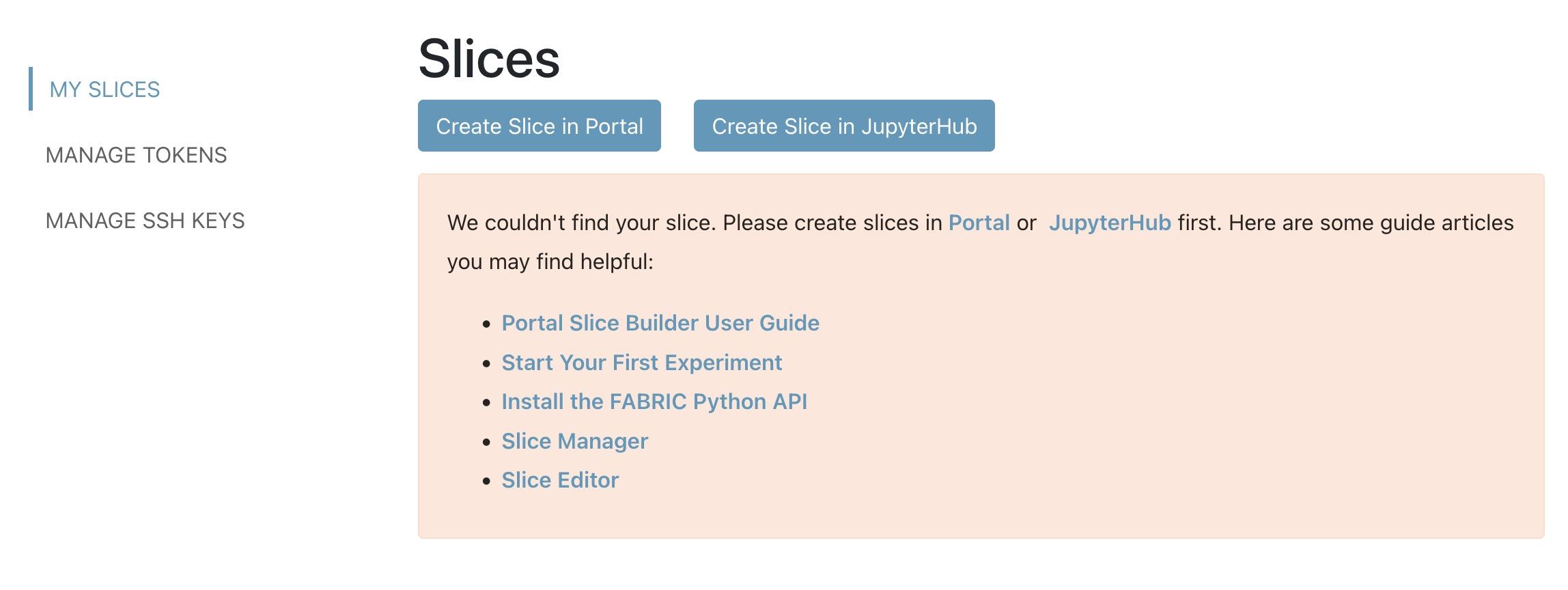
For users who have slices:

I’m updated the guide article accordingly as well. Please do not hesitate to let us know any other issues you encountered. Thanks again for your time and help!
Yaxue
This screenshot has been added to the guide article. And clicking the link of “Portal” in the red square will lead you to the slice builder page(same effect as clicking on “Create Slice” button in the other case for users with existing slices). This UI will be improved soon by adding buttons “Create Slice in Portal” and “Create Slice in JupyterHub” (Github ticket). But for now could you please click the link and try slice builder? Thanks!

Hi Nick,
Thanks for pointing out this usability issue! Your opinion is insightful and really matters to us. I’ve updated the user guide for now to include screenshots and guidance for users with no project/ no slice. In the callout message you mentioned saying “We couldn’t find your slice. Please create slices from Portal or JupyterHub …” The links to portal slice builder and JupyterHub are clickable and will lead you to corresponding pages. I’ll also update this callout message to include an obvious “Create Slice” button soon as a request added to this Github issue, then update the guide article accordingly.
Yaxue
Oops… Thank you for catching this typo! I created a ticket: https://github.com/fabric-testbed/fabric-portal/issues/187 . Could you please record any other issues (could be functional bug or usability issue) you found during your use of FABRIC Portal? Thanks again for your time and help!
I think it may be the issue of browser, not OS.
Hi Nick, are you using any plugin/ extension in your Firefox browser? If so can you disable them and try again?
By the way, I found a similar question from StackOverflow with multiple possible answers: https://stackoverflow.com/questions/24371734/firefox-cross-origin-request-blocked-despite-headers
Hi Nicholas,
I just tried the “Upload Public Key” function from production portal in Firefox and it works as expected without any CORS error. I will contact our backend service team and double-check the CORS config for UIS API services. And will also improve the portal UI to provide more detailed status by toast messages.
Could you please use the “Generate SSH Key Pair” function instead for now? Thanks for providing your feedback!
Yaxue
Hi Tejasri,
Sorry that you run into the login issue. Have you tried using another browser (Chrome, Firefox or Safari) to login? Or please try clearing cache&cookies in your current browser first then login again. Please let me know if this works or not. I’ll ask our COmanage coordinator to verify your account status too.
Best,
Yaxue
-
AuthorPosts
